Harmonise service processes
One process for all regions, from fault report through dispatch and visit to invoice.
We digitise service organisations in machinery, plant engineering and facility management, from the fault report to the invoice. Technicians have the work order, asset and history in the app and report back on site. The ERP bills without anyone retyping anything.
Explore scope and workflow ↓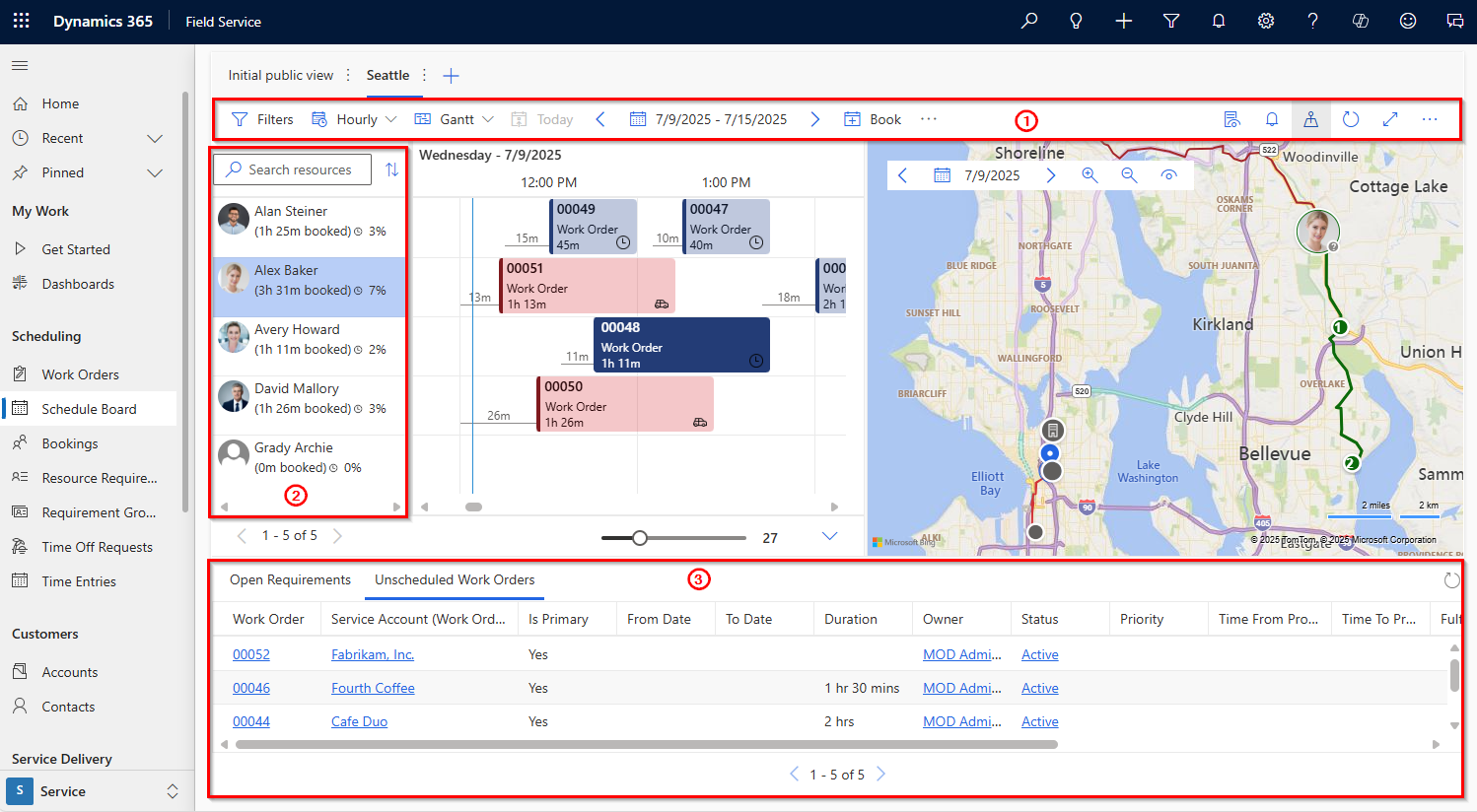 Enlarge image ↗
One process for all regions, from fault report through dispatch and visit to invoice.
Work order, asset, checklists and history on tablet or phone, also offline and in the technician's language. The report with photos and signature is completed at the customer's site.
The schedule board shows skills, territory and availability. Visits can be rescheduled quickly when an emergency comes up.
Stock levels are visible in the app. Parts used and time spent go straight to SAP or your ERP. The invoice follows the visit, not the paperwork.
If your equipment sends data, the work order can be created before the customer calls. With COLANDIS ConnectedAir, for example, the platform predicts filter changes.
An international machine builder in dispensing technology digitised its service in the USA, China and EMEA with Dynamics 365 Field Service. Before, technicians worked with paper reports and local tools. Today one shared process runs from work order to invoice. Billing is faster, there is less rework and spare parts are easier to plan.
Planning, device data and feedback need to fit together. We connect scheduling, the mobile application and source systems so field teams start prepared and report results without re-entry.
Reports are written on paper and typed up later. Weeks often pass before the invoice goes out.
The technician records time, parts, photos and signature in the app. The data goes to the ERP after review.
Faster billing and less rework.
Days from visit to invoice, corrections to service reports.
Technicians do not know which parts are in the van or the warehouse. A second visit becomes necessary.
Stock from the ERP is visible in the app. Parts used are posted on site.
More jobs are completed on the first visit, and the warehouse plans with actual consumption.
First-time fix rate, second visits due to missing parts.
Faults are only noticed when the customer calls.
Device data triggers a work order automatically. The technician sees readings and history before the visit.
Planned visits instead of emergencies.
Share of planned visits, downtime at the customer.
Automated schedule optimisation is an add-on. We recommend it once dispatch and data run reliably.
Yes. Technicians also work in basements or on sites without reception. Data syncs as soon as there is a connection again.
No. Stock and postings stay in the ERP. Field Service reads and writes through the interface.
Yes. We have rolled out Field Service in the USA, China and EMEA, with local languages and rules in one shared process.
We discuss your service processes, dispatch and the connection to your ERP.