Cloud flows
Events, schedules or a click start flows between CRM, ERP, SharePoint and Teams.
We automate approvals, handovers and routine work between your systems. Today AI is almost always involved. It reads documents, routes enquiries and checks data before a flow passes it on. For old applications without an interface we use RPA. Every flow runs monitored and traceable.
Explore functions and applications ↓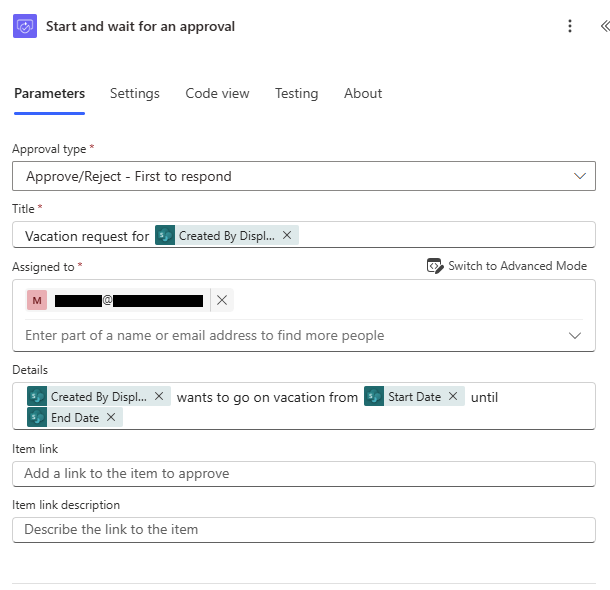
Events, schedules or a click start flows between CRM, ERP, SharePoint and Teams.
AI reads invoices and forms, routes emails and enquiries and checks data quality. Exceptions go to a person.
Ownership, deputies and deadlines are part of the flow. Every decision stays visible on the record.
Where an interface is missing, RPA operates the user interface. We use it deliberately and replace it as soon as an interface exists.
We plan for errors, duplicate events and retries. With NXTGN 365 Care we monitor the flows in operation.
When legacy on-premises applications are replaced, Power Automate takes over notifications, approvals and handovers to ERP systems.
Orders, delivery notes and invoices are read with AI, checked and created in the target system.
Request, document and approval belong together. Open tasks stay visible until they are done.
For high volumes or real time we build the integration in Azure. Power Automate stays for the business teams' workflows.
This explains the responsibilities. APIs, access and data ownership are agreed for your workflow.
delivered by NXTGNyour systems and teams
Premium connectors and RPA have their own licences. We plan them in so costs match the automation.
No. A flow follows fixed rules, an agent decides depending on context. We combine both when the process needs it.
For high volumes, complex integrations or real time we build in Azure. Many customers use both.
A named owner on your side. With NXTGN 365 Care we take over monitoring and operations.
Discuss your workflow, existing systems, implementation and operational requirements with us.