
About the prices
List prices, excluding tax, discounts and framework agreements, retrieved on 8 October 2026. Euro prices are from Microsoft’s German pricing pages; Azure prices are from the public Azure retail price list (Germany West Central region); US dollar prices are from the Power Platform Licensing Guide (October 2026) and Microsoft Learn. Prices change; Enterprise Agreement prices and prices through CSP partners differ. Microsoft displays the binding price only at purchase.
Licensing and capacity: what Microsoft already enforces
In my view, Microsoft will enforce licensing and capacity much more consistently in future. That assessment is based on these published measures:
| Area | What Microsoft has introduced or announced |
|---|---|
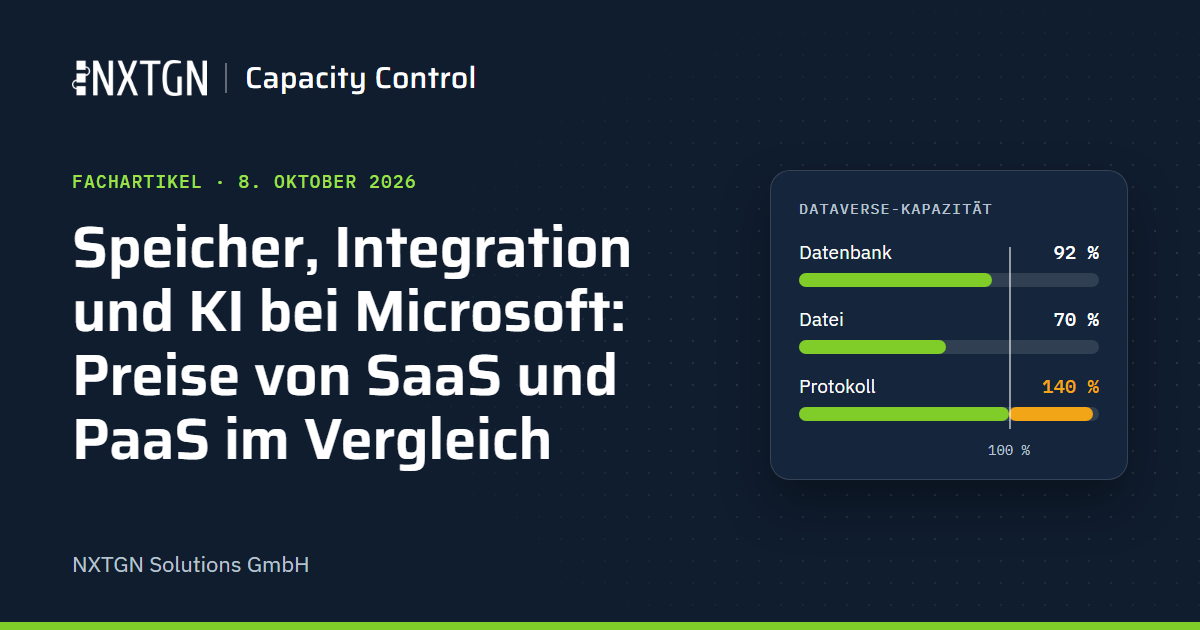
| Dataverse storage | validation from 9 November 2026, with rollout completed by 4 December 2026. Above 100 % effective usage, no new environments, copying or restoring; 30 days later, only administrators can open affected sandboxes (deadlines and checklist) |
| Premium flows without a suitable licence | notification to administrators; after 90 days, creating, copying and restoring environments are blocked; after a total of 180 days, further measures, including suspending flows, are possible |
| Apps in managed environments | in-app notifications since June 2026; from February 2027, an app without a suitable licence will no longer open |
| Copilot Studio | at 125 % of prepaid capacity, Microsoft disables custom agents |
For managed environments, Microsoft states that the requirement is not new; what is new is the in-app notification from June 2026 and enforcement from February 2027. Reports on capacity, licence usage and flows without suitable licences are available under Licensing in the Power Platform admin center. Plan licences and capacity when designing a solution.
SaaS and PaaS: what you pay for
With SaaS such as Dynamics 365, Power Platform and Microsoft 365 Copilot, Microsoft operates the application: updates, scaling, network protection, automatic backups, and production environments distributed across multiple availability zones within a region. You pay per user and for capacity. With PaaS such as Azure Storage, Logic Apps, Azure Functions, Azure SQL and Microsoft Foundry, Microsoft provides the platform and you pay for consumption: per gigabyte, execution or token. The unit price is often orders of magnitude lower. In return, you are responsible for the application’s design, operation, monitoring and security configuration. Microsoft describes this division in its shared responsibility model; data, settings and identities remain your responsibility in both cases.
Some PaaS services also offer more functionality. Through an integration account, Logic Apps exchanges business messages using X12, EDIFACT, AS2 and RosettaNet. Azure Functions runs code in common languages and, through custom handlers, in any other language that supports HTTP. In Azure SQL you can read and write using SQL; the Dataverse SQL endpoint is read-only. Microsoft Foundry offers models from providers including OpenAI, Anthropic, Meta, Mistral and DeepSeek, and allows some of them to be further trained on your own data (fine-tuning).
Capacity: Dataverse or Blob Storage
Dataverse bills storage in three types: database, file and log. You purchase anything beyond the capacity included in your licences. According to the German pricing page, database capacity costs €34.70 per GB per month. The German page does not list prices for file and log capacity. Taking the US list prices of USD 2 and USD 10 and applying the database price ratio (€34.70 to USD 40) gives €1.74 and €8.68 respectively. In Germany West Central, Azure Blob Storage with locally redundant storage (LRS) costs €0.0172 per GB per month in the Hot tier, €0.0088 in Cool, €0.0040 in Cold and €0.0016 in Archive.
Calculation: 100 GB stored for one year (100 GB × price per GB per month × 12 months):
| Storage | Price per GB per month | 100 GB for 12 months |
|---|---|---|
| Dataverse, database | €34.70 | €41,640.00 |
| Dataverse, log (derived) | €8.68 | €10,416.00 |
| Dataverse, file (derived) | €1.74 | €2,088.00 |
| Azure Blob Storage, Hot | €0.0172 | €20.64 |
| Azure Blob Storage, Cool | €0.0088 | €10.56 |
| Azure Blob Storage, Cold | €0.0040 | €4.80 |
| Azure Blob Storage, Archive | €0.0016 | €1.92 |
A gigabyte of Dataverse database storage therefore costs around 2,000 times as much as a gigabyte of Blob Hot storage, and a gigabyte of log storage around 1,000 times as much as Blob Cool.
Blob Storage is not a replacement for Dataverse. It is object storage: it has no Dataverse-style security roles, business units or column security, no forms or views, and finding content requires an additional index. Reads and writes cost extra. Cool, Cold and Archive charge for a minimum of 30, 90 and 180 days, even if you delete sooner, and Archive is offline: retrieval takes up to 15 hours. Archiving tools therefore store rarely used data cheaply in Blob Storage and keep it findable through an index.
Integration: Logic Apps or Power Automate and Power Apps
In Power Platform, you pay per user or per process. Power Automate Premium costs €13.00 per user per month; the Process licence costs €130.00 per month and licenses a flow or a group of up to 25 flows for a combined 250,000 actions per day. Power Apps Premium costs €17.30 per user per month, or €10.40 from 2,000 licences. Microsoft has no longer sold the “Power Apps per app” plan since January 2026; consumption-based pay-as-you-go billing is available at USD 10 per active user, app and month.
Logic Apps does not count users. On the Consumption plan, you pay per execution: USD 0.000125 per standard connector call, USD 0.001 per enterprise connector call and USD 0.000031 per built-in action; the first 4,000 built-in actions per Azure subscription are free. The euro price list rounds these small amounts to four decimal places, so I use US dollars here.
Example: a nightly synchronisation between an ERP system and a custom Dataverse table, with 500 records per night and around 2,000 actions (500 Dataverse connector calls and 1,500 built-in actions). The Dataverse connector is a premium connector in Power Automate and a standard connector in Logic Apps. If the flow is owned by a service principal (Microsoft recommends this instead of a shared service account) and runs outside the Dynamics 365 context, it needs a Process licence or a named user with a Premium licence, whose daily allowance of 40,000 actions it then uses.
| Service | Nightly synchronisation: 2,000 actions per night | Continuous load: 200,000 actions per day |
|---|---|---|
| Logic Apps Consumption | USD 3.15 per month | USD 326.88 per month |
| Power Automate | €130.00 (USD 150) with a Process licence, or €13.00 through a named Premium user | €130.00 (USD 150) with one Process licence |
Nightly synchronisation calculation, 30 nights: 15,000 connector calls × 0.000125 = USD 1.88; 45,000 built-in actions less 4,000 free actions, so 41,000 × 0.000031 = USD 1.27; total USD 3.15. Continuous-load calculation, assuming a quarter of actions are connector calls: 6 million actions per month, 1.5 million × 0.000125 = USD 187.50, plus (4.5 million − 4,000) × 0.000031 = USD 139.38.
For the nightly synchronisation, Logic Apps costs USD 3.15 per month; the same flow in Power Automate needs a Process licence at €130.00 or a named Premium user at €13.00. At 200,000 actions per day, the Process licence at USD 150 costs less than half of Logic Apps Consumption. For continuous load, Logic Apps also offers “Standard” with a fixed plan: the smallest, WS1 with 1 vCPU and 3.5 GB of memory, works out at €158.12 per month (730 hours × (€0.1732 + 3.5 × €0.0124)); built-in actions are included, connector calls are not. Power Automate billed per run (pay-as-you-go, preview, USD 0.60 per run) would cost USD 18 per month for the nightly synchronisation.
Power Automate includes a designer for business users, direct Dataverse integration, governance in the admin center and Microsoft 365 connectors. A Logic App requires an Azure subscription, deployment through your pipeline and your own monitoring.
Multiplexing and permitted approaches
Microsoft defines multiplexing as hardware or software that pools connections, reroutes information, makes it indirectly accessible or reduces the number of users directly accessing a product. According to Microsoft, multiplexing does not reduce the number of licences required. Anyone who enters, queries or views data must be appropriately licensed, whether access is direct or indirect, and the number of technical layers in between makes no difference. This is stated in the Power Platform Licensing Guide; Microsoft’s multiplexing overview says the same applies to Dynamics 365.
According to Microsoft, a service account with one Premium licence through which many people use a flow constitutes multiplexing. A portal or interface through which employees read Dynamics 365 data does not replace their licences. Microsoft also states that when Dynamics 365 data is automatically copied to Azure, everyone who uses that data there still needs a suitable licence.
You can serve external users, meaning neither employees nor contractors regularly working for you, in accordance with licensing rules through Power Pages: €173.30 per website per month for 100 authenticated users, or €65.00 for 500 anonymous users. For background processing without users, for example from Azure, Dataverse supports its own identities (application users) with a separate request allowance per tenant; Microsoft gives a process that moves data between databases as an example. As soon as people use the results, the licensing rule applies again.
This is not legal advice. Before building an architecture in which many people work through a small number of accounts, portals or interfaces, have your Microsoft contact or licensing partner review it.
AI: Microsoft Foundry or Copilot
Microsoft 365 Copilot costs €26.00 per user per month with annual billing and requires a suitable Microsoft 365 licence. In return, Copilot works in Outlook, Teams, Word and Excel with the data each user can access. You build custom agents with Copilot Studio, billed in Copilot Credits. A monthly pack of 25,000 credits costs €173.30; pay-as-you-go costs €0.0088 per credit (Azure price list). According to Microsoft, a generative answer costs 2 credits and an agent action 5 credits.
Microsoft Foundry, formerly Azure AI Foundry, is the PaaS option: you pay per token. GPT-5.4 mini in the Data Zone deployment type costs €0.726 per 1 million input tokens and €4.3559 per 1 million output tokens (Germany West Central). If the resource is in the EU, Microsoft processes requests for this deployment type within its EU Data Boundary, meaning EU and EFTA countries.
Example: 10,000 incoming emails per month are to be categorised automatically. Foundry calculation, assuming 1,000 input and 200 output tokens per email, including the model’s internal reasoning: 10 million × €0.726 per million + 2 million × €4.3559 per million = €7.26 + €8.71 = €15.97 per month. Copilot Studio calculation, assuming an autonomous agent with two agent actions per email (categorise, file): 2 × 5 = 10 credits per email, or 100,000 credits per month. That is four packs at €693.20 or €880.00 on pay-as-you-go. Depending on the agent’s design, it may be more; Microsoft additionally charges 10 credits per 1,000 tokens for a model with advanced reasoning.
Copilot Studio includes the interface, connectors, channels such as Teams, governance and billing through the admin center; some Dynamics 365 licences already include credits. With Foundry, you develop these yourself: code, hosting, monitoring, security and the process that passes emails to the model. Copilot Studio can also use a Foundry model; Foundry then bills processing by token, while Copilot Studio counts the call as an agent action.
Combining SaaS and PaaS
What users work with every day stays in SaaS: Dynamics 365, Power Apps and Copilot. High volumes and heavy processing belong where they cost least, provided the licensing is compliant: audit history and rarely used files in Blob Storage, nightly bulk synchronisations in Logic Apps, and the classification of thousands of emails in Foundry. Decide case by case using a calculation based on your volumes and a review of the licensing rules.
NXTGN helps decide what stays in SaaS and what belongs in PaaS, using your tenant’s figures. One example from our own product: NXTGN Capacity Control moves Dataverse audit logs, old business data and attachments to the customer’s Azure Blob Storage.
Sources
- Microsoft pricing pages (Germany, EUR, retrieved on 8 October 2026): Power Apps (opens in a new tab), Power Automate (opens in a new tab), Power Pages (opens in a new tab), Microsoft 365 Copilot (opens in a new tab), Copilot Studio (opens in a new tab)
- Azure price list (public Retail Prices API, EUR and USD, Germany West Central region, retrieved on 8 October 2026): prices.azure.com/api/retail/prices (opens in a new tab); queries with
currencyCode='EUR'orcurrencyCode='USD'and these filters ($filter):- Blob Storage (product “General Block Blob v2”):
serviceName eq 'Storage' and armRegionName eq 'germanywestcentral' and contains(skuName,'LRS') and contains(meterName,'Data Stored') - Logic Apps:
serviceName eq 'Logic Apps' and armRegionName eq 'germanywestcentral' - Copilot Studio:
armRegionName eq 'germanywestcentral' and contains(productName,'Copilot Studio') - GPT-5.4 mini:
productName eq 'Azure OpenAI GPT5' and armRegionName eq 'germanywestcentral' and contains(skuName,'5.4 mini')
- Blob Storage (product “General Block Blob v2”):
- Microsoft: Power Platform Licensing Guide, October 2026 (opens in a new tab): US list prices, Dataverse add-ons, multiplexing, external users, change log (Power Apps per app)
- Microsoft: Multiplexing Overview (March 2021) (opens in a new tab)
- Microsoft Learn: Power Automate licensing FAQ (opens in a new tab), When premium flows are subject to license enforcement (opens in a new tab), Requests limits and allocations (opens in a new tab), Pay-as-you-go meters (opens in a new tab)
- Microsoft Learn: Licensing requirements for managed environments (opens in a new tab), Dataverse capacity-based storage details (opens in a new tab), Back up and restore environments (opens in a new tab)
- Microsoft Learn: Copilot Studio: Billing rates and management (opens in a new tab), AI Builder: Licensing and Copilot Credits (opens in a new tab) (custom Foundry model), Dynamics 365 Sales: Licenses and storage FAQs (opens in a new tab) (included credits), What is Microsoft Copilot? (opens in a new tab)
- Microsoft Learn: Usage metering, billing, and pricing for Azure Logic Apps (opens in a new tab), B2B enterprise integration workflows (opens in a new tab), connectors Microsoft Dataverse (opens in a new tab) and Microsoft Dataverse (legacy) (opens in a new tab)
- Microsoft Learn: Access tiers for blob data (opens in a new tab), Shared responsibility in the cloud (opens in a new tab), Supported languages in Azure Functions (opens in a new tab), Use SQL to query data (Dataverse) (opens in a new tab)
- Microsoft Learn: What is Microsoft Foundry? (opens in a new tab), Foundry Models overview (opens in a new tab), Data, privacy, and security for Foundry Models (opens in a new tab), Model retirement schedule (opens in a new tab)
- Microsoft Lifecycle: Dynamics CRM 1.2 (opens in a new tab), start date 31 October 2003