Your company’s synonyms, abbreviations and approved names.
Microsoft Copilot
What Copilot is and where it pays off.
Microsoft Copilot is not a language model of its own but an intermediary. It takes your question, fetches relevant content from your emails, files, chats and meetings, has a language model write an answer and checks it before you see it. It only sees what you are allowed to see. We introduce Copilot so it helps in daily work, and we also tell you where another tool fits better.
Explore functions and applications ↓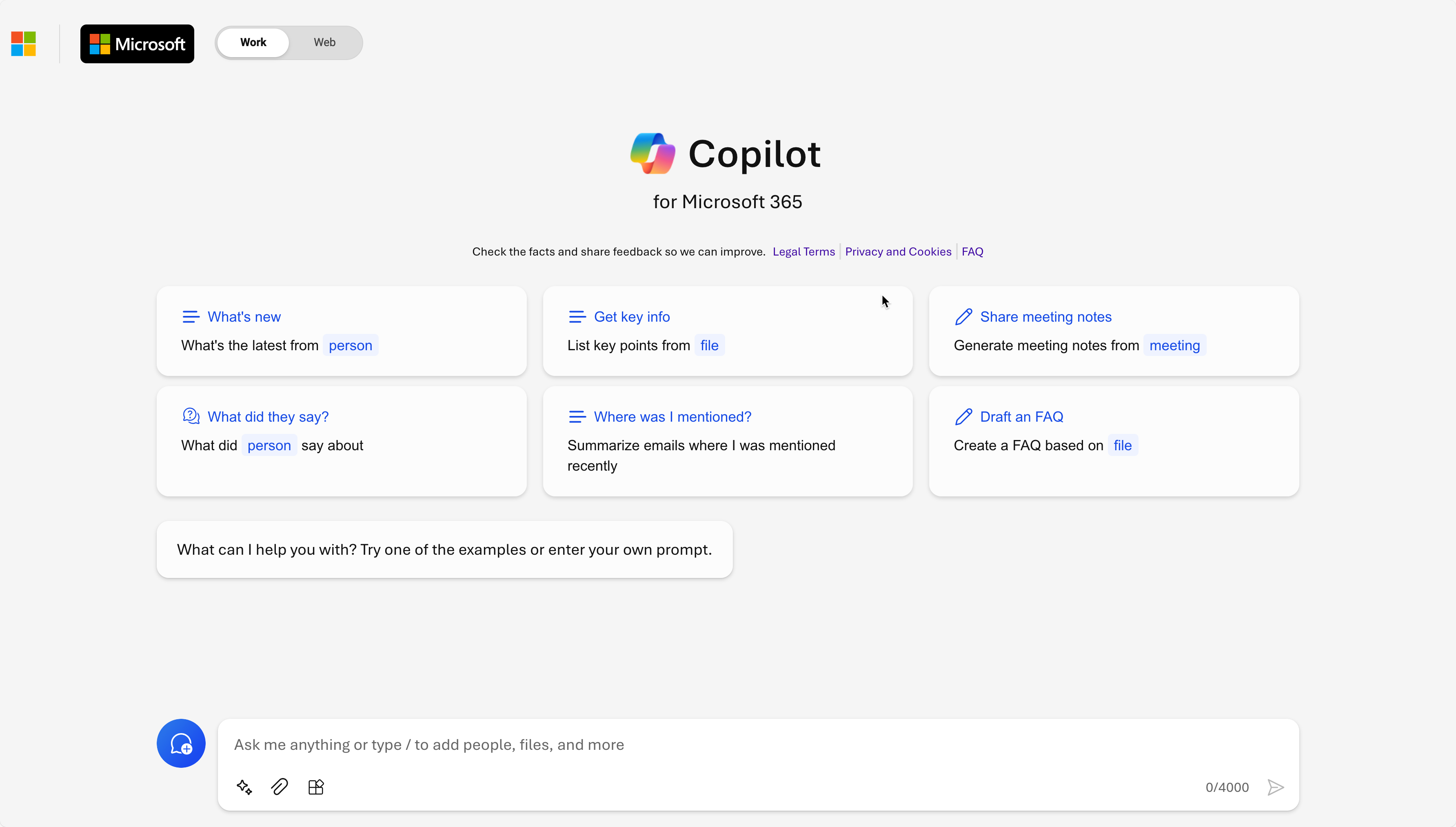
How Copilot works
Copilot is not a language model but an intermediary.
Copilot takes your question, fetches relevant content from your Microsoft 365, has a language model write the answer and checks it before you see it. Everything runs within the Microsoft 365 service boundary.
Microsoft 365 service boundary
- 01QuestionYou ask in Word, Outlook, Teams or Copilot Chat.
- 02GroundingCopilot looks for relevant content in Microsoft Graph, optionally on the web and in connected systems.
- 03Language modelA large language model writes an answer from question and context.
- 04ChecksSecurity, compliance, privacy and responsible AI are checked.
- 05AnswerThe answer appears in your app. You review it and carry on.
Your content in Microsoft Graph
- Emails
- Files
- Meetings
- Chats
- Calendar
- Contacts
Extensions
- Agents and connectors
- Dataverse and Power Platform
- NXTGN AI CORE via MCP
Web, if allowed
- Bing search
- Copilot only sees what the individual user is allowed to see, which is why it reliably finds files that are shared too widely.
- According to Microsoft, prompts, responses and Microsoft Graph data are not used to train the language models.
- Copilot Chat without a Copilot licence works with web content, not with your emails and files.
Source: Microsoft documentation on the Copilot architecture ↗
NXTGN AI CORE · Our AI product
AI using your knowledge and terminology.
A language model does not know your internal abbreviations or the relationships between your assets, components and business records. NXTGN AI CORE represents this context using a knowledge graph, glossary and taxonomy. Documents and databases supply the evidence; your specialists define terminology and relationships.
Explore NXTGN AI CORE →Relationships between terms, assets, components and sources.
Models, embeddings and OCR on your servers or hosted on a dedicated NXTGN instance.
Functions
What we do during rollout
Clean up permissions
Copilot finds everything a user may see, including files nobody should ever have shared. We check permissions in SharePoint, Teams and OneDrive before Copilot starts.
Choose use cases
Following up meetings, drafting documents, summarising emails. We choose the tasks where Copilot really saves time and measure it.
Train teams
Good prompts, useful templates and clear rules for confidential information.
Extend with agents
With Copilot Studio and connectors, Copilot also reaches CRM, ERP or NXTGN AI CORE.
Business applications
Typical use cases for Microsoft Copilot
Meetings and emails
Copilot summarises meetings and long email threads and suggests tasks. Your team reviews and decides.
Document work
Drafts, summaries and revisions are created directly in Word, PowerPoint and Excel.
Sales preparation
Copilot gathers information for a customer meeting. Connected to Dynamics 365, it also knows opportunities and customer history.
When Copilot does not fit
For processes that change systems, handle many cases automatically or must run without the Microsoft cloud, Microsoft Foundry or NXTGN AI CORE is usually the better choice.
Architecture
Copilot or your own AI solution?
Both come from Microsoft. For office work Copilot is convenient. For your business processes a solution built with Microsoft Foundry is often stronger and cheaper.
Microsoft Copilot
- Licence per user and month, however much it is used
- Works in Word, Outlook, Teams and Excel
- Microsoft chooses the model
- Made for an individual's office work
Microsoft Foundry
- Pay per use
- Runs in any application, portal or website
- You choose the model, including from Anthropic, Mistral or Meta
- Made for business processes, with agents in CRM and ERP
Requirements and boundaries
Copilot is licensed per user and month. We check beforehand who benefits and who can manage with Copilot Chat.
Is Copilot a language model of its own?
No. Copilot mediates between your question, your data in Microsoft 365 and language models. The model writes the answer, Copilot supplies the context.
Does Copilot see everything in the company?
No. Copilot only sees what the individual user may see. That is exactly why we check permissions first, because Copilot reliably finds files that are shared too widely.
Is our data used for training?
No. According to Microsoft, prompts, responses and Microsoft Graph data are not used to train the language models.
Is Copilot Chat the same?
No. Copilot Chat works with web content without a Copilot licence. Only Microsoft Copilot with a licence accesses your emails, files and meetings. Microsoft has since renamed Microsoft 365 Copilot to Microsoft Copilot.
When is Foundry better?
When AI should work in a business process, change systems or run cheaply for many users. Then we build a solution with Microsoft Foundry or NXTGN AI CORE that is made for exactly that.
Related topics
Related products and services
Product documentationMicrosoft Copilot ↗Editorial review: 12 October 2026. Features and availability can change.
Planning to use Microsoft Copilot?
Discuss your workflow, existing systems, implementation and operational requirements with us.